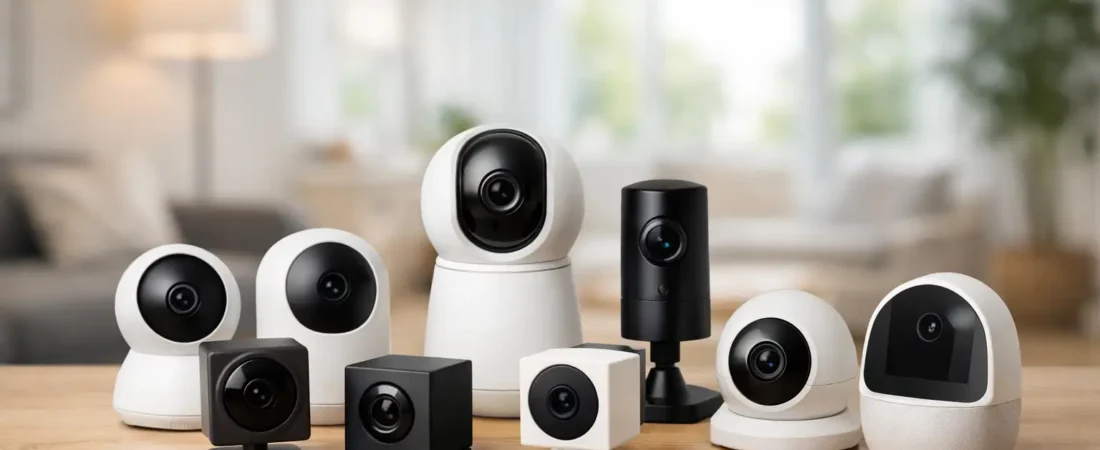
A good indoor camera proves its value in small moments. You get a motion alert while you are at work, check the live feed, and see your dog asleep on the sofa instead of a stranger in the hallway. Or you hear a glass-break notification at night and can confirm within seconds whether it is a real problem. That is why choosing the best indoor cameras for home monitoring is less about buying another gadget and more about building faster awareness inside your home.
Indoor cameras have improved quickly. The best models now do far more than stream video. They can tell the difference between a person and a pet, reduce nuisance alerts, work with smart locks and sensors, and give you a clearer picture of what is happening when you are away. But not every camera gets the basics right, and the differences matter once you are relying on one for daily security.
What actually makes an indoor camera worth buying
For most homeowners, image quality is only the starting point. A crisp 2K feed sounds great on paper, but it matters less if the app is slow, notifications arrive late, or the camera misses the event entirely. The best indoor cameras for home monitoring combine clear video with fast alerts, dependable motion detection, stable Wi-Fi performance, and an app that lets you act quickly.
Privacy matters just as much. Indoor cameras live in your personal space, so features like a physical privacy shutter, two-factor authentication, local storage options, and clear recording controls are not extras. They are part of the product. If a camera feels invasive or complicated to manage, most households end up using it less.
Audio can also make a bigger difference than many buyers expect. Two-way talk lets you respond to a delivery brought indoors, calm a pet, or speak to an older parent from another room. At the same time, microphones pick up more than you may want, so it helps to choose a system with flexible settings and easy mute controls.
Best indoor cameras for home monitoring by use case
There is no single best pick for every house. The right camera depends on where you want to place it, who lives in the home, and how much intelligence you expect from alerts.
Best overall for most homes
A strong all-round indoor camera usually has 2K video, person detection, colour night vision or strong infrared night vision, two-way audio, and support for either cloud or local recording. Models in this category suit living rooms, entry areas, hallways, and open-plan spaces where you want broad visibility without overcomplicating the setup.
The advantage here is balance. You are not paying for niche features you may never use, but you still get meaningful upgrades over a basic budget camera. For many connected households, this is the sweet spot – enough intelligence to reduce false alarms and enough flexibility to fit into a larger smart home system.
Best for AI-powered alerts
If your biggest frustration is constant, irrelevant notifications, prioritise AI detection. Some indoor cameras can distinguish people, pets, vehicles seen through windows, packages brought inside, or even unusual sounds such as smoke alarms and breaking glass. That kind of filtering changes the experience from reactive checking to informed monitoring.
This is where modern home security feels genuinely smarter. Instead of a generic motion ping every time sunlight shifts across a room, you get an alert that tells you a person entered the kitchen at 2:14 pm. It is a better use of your attention, especially if you travel often or manage security across multiple devices.
Best for privacy-conscious households
Not everyone wants a camera pointed into the home 24/7, and that hesitation is reasonable. For bedrooms, nurseries, home offices, or shared family spaces, privacy-first features matter. Look for cameras with a physical shutter, scheduled recording, geofencing that disarms when you arrive home, and local storage that keeps more data under your control.
The trade-off is that privacy-focused models sometimes have fewer cloud AI features. For some families, that is a worthwhile compromise. If your priority is confidence that the camera only records when you want it to, simpler controls can be more valuable than advanced automation.
Best budget option
Budget indoor cameras have become surprisingly capable. Many now offer 1080p or better, motion alerts, night vision, and app-based live view at a low entry price. If you need coverage in multiple rooms, a cheaper model can make more sense than overspending on one premium device.
Still, this is where corners usually get cut. Lower-cost cameras may have slower apps, weaker microphones, limited detection zones, or subscriptions that unlock features other brands include by default. A budget camera can absolutely work, but it is worth checking what is missing before you rely on it for serious monitoring.
Best for smart home integration
Some households do not want a standalone camera. They want a camera that fits into routines with locks, alarms, sensors, lights, and voice assistants. In that setup, integration is the feature. A camera that can trigger lights when it detects motion indoors, arm automatically when everyone leaves, or pair with a security hub adds practical value beyond video.
This category is especially useful if you already have a connected ecosystem. The camera becomes part of a coordinated response, not just a passive viewer. For homeowners building a smarter security setup, that kind of integration is often worth paying for.
Features that matter more than spec sheets suggest
Field of view is one of them. A wider angle helps in large rooms, but an ultra-wide lens can distort edges and make faces look farther away than they really are. In a narrow hallway, a standard view may actually be more useful. Placement and room shape matter as much as camera specs.
Night performance is another. Many indoor incidents happen in low light, and not all night vision is equal. Some cameras show a clean monochrome image, while others become noisy and soft once the room darkens. If you plan to monitor entrances, staircases, or common areas overnight, night footage quality deserves more attention than headline resolution.
Storage is easy to overlook until you need footage from three days ago. Cloud recording is convenient, especially when reviewing events remotely, but it often comes with a monthly fee. Local storage can save money and improve privacy, though it may be less convenient if the camera is stolen or damaged. For many homeowners, the best option is a camera that gives both choices.
Where to place an indoor camera for the best results
Most people get better security from smart placement than from buying a more expensive model. Focus first on interior choke points: the front entry area, the hallway connecting bedrooms, the main living space, and any room where someone would likely pass after entering. These locations give context quickly when an alert comes in.
Avoid aiming cameras directly at bright windows, as backlighting can reduce image quality and trigger false events. Mounting slightly above eye level often improves coverage and keeps the camera less obtrusive. If you are using a pan-and-tilt model, make sure the camera can actually see useful zones instead of spending half its range pointed at walls or ceilings.
If children, guests, or caregivers are part of the household routine, placement also needs a trust lens, not just a security lens. Visibility should support safety without making every room feel watched. A camera in a common area is usually easier to justify than one in a deeply private space.
When a premium indoor camera is worth it
A higher price makes sense when the camera is doing more than casual check-ins. If it is tied into your wider security system, used to verify alarms, or expected to deliver useful AI filtering, premium performance is easier to justify. Better cameras tend to have faster processors, stronger apps, fewer missed events, and smarter notifications.
That said, expensive does not always mean better for your house. A premium camera with advanced recognition features may be wasted in a small flat where you only want to watch the entryway. On the other hand, a large family home with pets, cleaners, dog walkers, and frequent deliveries may benefit from every extra layer of intelligence.
How to choose without overbuying
Start with the problem you are trying to solve. If you want to check on pets, almost any decent indoor camera will do. If you want reliable security verification, look harder at alert speed, event history, night quality, and smart detection. If you want a camera to work alongside locks and sensors, prioritise ecosystem compatibility before resolution.
This is the approach we favour at TheAIHomeSafe because it keeps the decision practical. The best indoor camera is not the one with the longest feature list. It is the one that gives you fast, trustworthy visibility when something happens and stays simple enough to use every day.
A well-chosen indoor camera should make your home feel more controlled, not more complicated. If a model helps you spot real activity quickly, cuts down false alarms, and fits naturally into the way your household already lives, you are probably looking at the right one.